
BEAR Alpha Wiki
Survive as a player, solve puzzles to shorten the round, or become Bear and hunt everyone down. Explore skins, maps, badges, game modes, and Quidz.
Explore the Wiki
Start Here
Your BEAR Alpha Journey
1Lacking currency for essential survival gear and perks
Accumulate Early Match Quidz
Complete early wire terminals and survive active match countdowns to build initial funds for social gear.
Interact with wire boxes immediately upon spawning to gain currency while evading Bear.
Holding enough Quidz to buy the 50 Quidz Trick or Treating Bag or basic shop gears.
2Struggling to navigate unlit corridors during chases
Acquire Flashlight Upgrades
Extend forward illumination range to identify maze dead ends and approaching threats early.
Equip the Advanced Flashlight gamepass from the store to extend beam reach from 25 to 50 studs.
Traversing dark locations like Hospital Nightmare with doubled forward sightlines.
3Hunting hidden lore cosmetics and secret sub-places
Unlock Secret Badge Routes
Locate hidden buttons and false walls to reach isolated sub-dimensions and character encounters.
Press the exterior button on Haunted Mansion to enter the hidden portal leading to Lagoon.
Registering the Track 03 badge and obtaining the Vector character skin.
4Grinding map XP across unboosted arena voting rotations
Finish 500 XP Map Masteries
Target boosted voting stages to complete the 500 XP progression milestone across all 26 core maps.
Vote for the eight daily spotlighted maps to earn boosted match yields up to 32 XP per round.
Mastering every arena to unlock the secret Golden Bucket Head cosmetic.
Planning your next upgrade
Calculator
Work out costs, materials and odds for your next step.
Choosing what to prioritise
Tier List
See which picks rank highest, with the source behind each ranking.
Prepare Physical Desktop Character 3D Prints
Find verified BEAR Alpha 3D model polygon counts, Creative Commons licenses, and MakerWorld print profile specifications for Cheedaman's game.
- 01
Download the print profile onto a single build plate within Bambu Studio
Download the print profile onto a single build plate within Bambu Studio.
- 02
Select hardware compatibility matching supported systems such as the Bambu Lab A1 mini, A1, P1P, P1S, X1, or X1 Carbon
Select hardware compatibility matching supported systems such as the Bambu Lab A1 mini, A1, P1P, P1S, X1, or X1 Carbon.
- 03
Apply standard filament settings calling for 14 grams of standard PLA material
Apply standard filament settings calling for 14 grams of standard PLA material.

Explore the Wiki
From Quidz bonuses to flashlight range, compare BEAR Alpha gamepasses.
What Is BEAR Alpha?
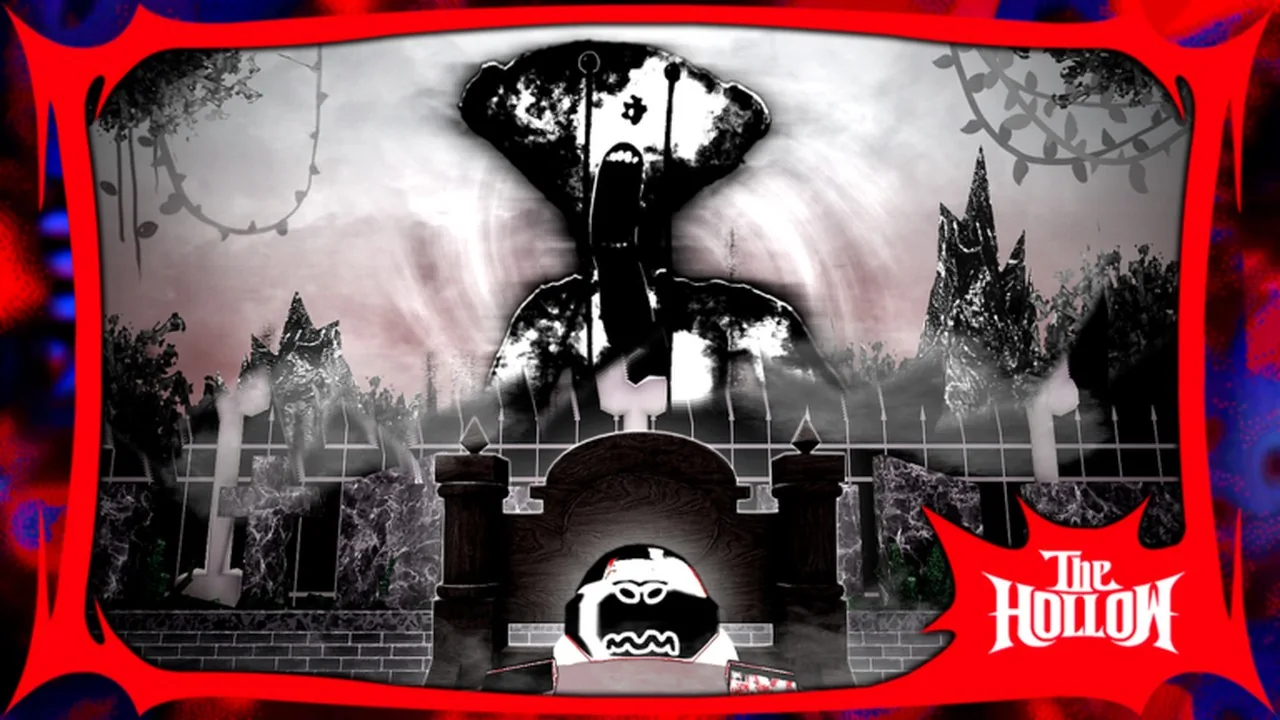
BEAR Alpha is an asymmetrical survival horror experience on Roblox created by Cheedaman. Servers host up to ten players in a tense contest pitting a lone hunter against a squad of survivors across dozens of distinct arenas. Survivors run between environment puzzles like wiring boxes and cheese shrines to shave seconds off the round countdown while conserving sprint stamina. The chosen Bear stalks the map to wipe out the server before time expires.
Explore All GuidesDeveloper
Cheedaman
Platform
Roblox
Genre
Survival / 1 vs All
Release Date
May 21, 2019
Total Visits
359.2M+
Favorites
1.16M+
Players Online
8,362
Max Players per Server
10
Latest Guides
Configure Azonix Typeface For Media Editing
Identify the Azonix typeface used in BEAR Alpha and apply it across video editors or custom platform themes.
Archive Walk Cycles and Animated Sequences
Review animated GIF formats, walk-cycle sequences, and visual animations documenting Bear and Sam across official community archives.
Configure Billboard Displays and Asset Identifiers
Locate the official BEAR Alpha image id, inspect badge graphic requirements, and configure custom billboard sprite animations in Roblox Studio.
Inspect Official Branding and File Parameters
Examine the official visual identity of Cheedaman's Roblox horror experience alongside badge file specifications and asset branding details.
Retrieve Transparent Sprites and Badge Graphics
Examine verified PNG image formats, dimensions, and sprite graphics used across the game interfaces and archives.
Build Billboard Locomotion and Sprite Sheets
Review BEAR Alpha walk frame dimensions, scripting playback loops, and visual differences across classic and modern monster skins.
Set Up Custom Screen Background Artwork
Review official media stills, badge graphics, and character art to configure custom BEAR Alpha desktop backgrounds.
Codes and rewards
Current code availability, rewards and source-check dates.
Codes appear here with their reward, status and source check date.
Where does the official information come from?
Official information comes from Create a BEAR Alpha Kill Effects 2019-2026 Tier List - TierMaker, Roblox Game Page, Developer on Roblox, BEAR Roblox Group.
- Create a BEAR Alpha Kill Effects 2019-2026 Tier List - TierMaker
- Roblox Game Page
- Developer on Roblox
- BEAR Roblox Group
Rank all of BEAR (Alpha)'s Kill Effects (As of October 30th, 2026) from S to F!
Create a BEAR Alpha Kill Effects 2019-2026 Tier List - TierMaker
Frequently Asked Survival Questions
A few useful distinctions before you start.
Ready to Survive the Monstrosity?
Find a skin, explore the maps, or follow a badge guide to plan your next round.